Sleep Widget.
Bevel  is a popular health and wellness application that provides users with a variety of tools to improve lifestyle habits, one of which is sleep. Leveraging public Bevel forum data
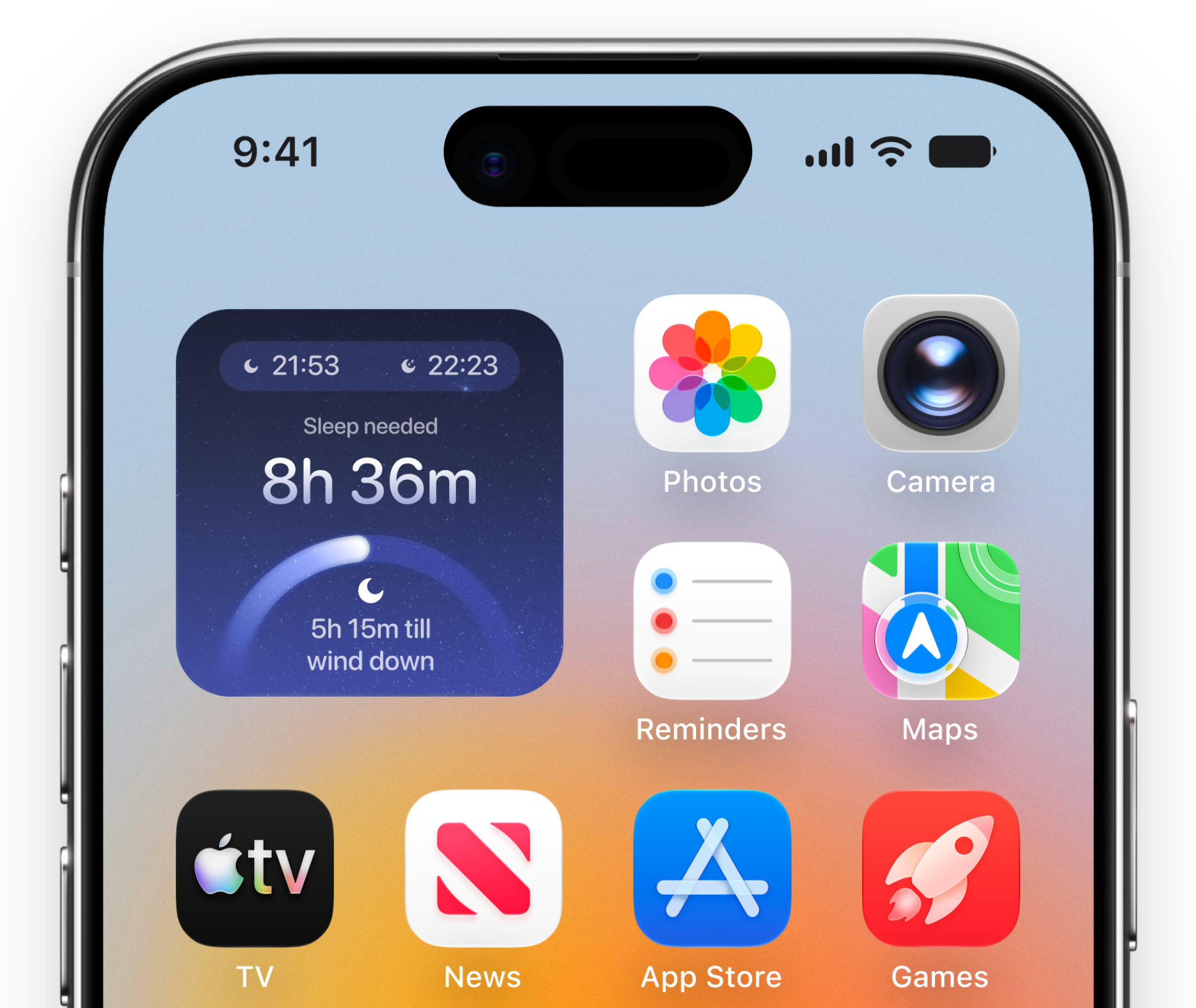
  I designed a conceptual sleep widget that users had been long requesting.
Foundations.
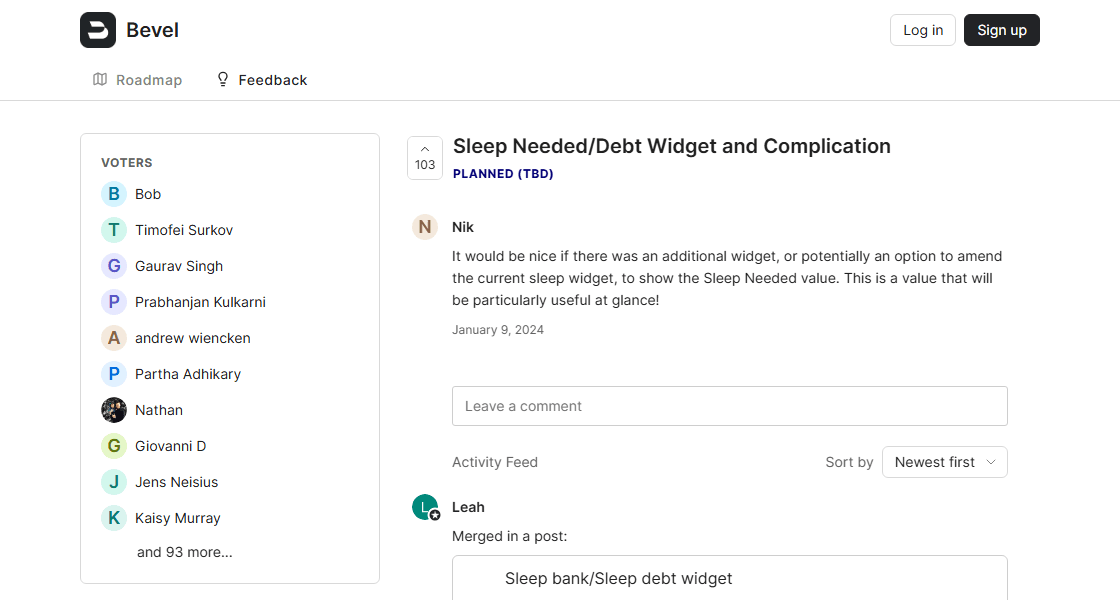
To ground the widget in real user needs rather than assumptions, I sourced UX signal directly from Bevel's public feedback forum, reading through its highest-voted sleep-related request thread (103 votes) and the requests merged into it. Given the volume and variety of phrasing across dozens of responses, I used AI-assisted analysis to help surface recurring themes and group related asks into broader categories, rather than manually cross-referencing each comment one by one. Those categories directly informed the widget's UI.
The Problem.
After parsing and categorizing responses, it's time to finally mash all the features into the view...right? Not so fast. Presenting metadata in a digestable way while maintaining functionality is a fine line. Plus, widgets and apple watches are small (*cough cough...design constraints). Thus, I had to ask myself: how can I use utilize signifiers to reduce texual overload on small frames?
Hiccups Along The Way.
A specific challenge I encountered was the various degrees in which symbols can be interpreted by users. In my early designs, mock-user observation sessions revealed that users misinterpreted certain icons. Thus, I learned a hard truth...not everyone thinks the same way I do. Jokes aside, feedback sessions give me confidence in my design decisions with each new iteration. And thankfully, the results did not disappoint. Utilzing a workflow of rapid iteration and user testing, I refined the icons to be more intuitive and aligned with user expectations.
User Perceptions.
During testing, users mistook the intended "wind-down" icon for an indicator of "low sleep quality" or "less sleep needed," rather than a marker for when to start pre-sleep routines. Similarly, the "bedtime" icon was frequently read as metadata from "last night's sleep" or as a "bedtime" countdown, instead of the target bedtime itself. These misreadings made it clear that the icons alone weren't carrying enough context, and directly informed the next round of iteration.

Wind-down Time

Bedtime


Wind-down Time

Bedtime
Solution.
As a result of multiple rounds of use testing, the final design is able to balance textual context and minimize cognitive overload.
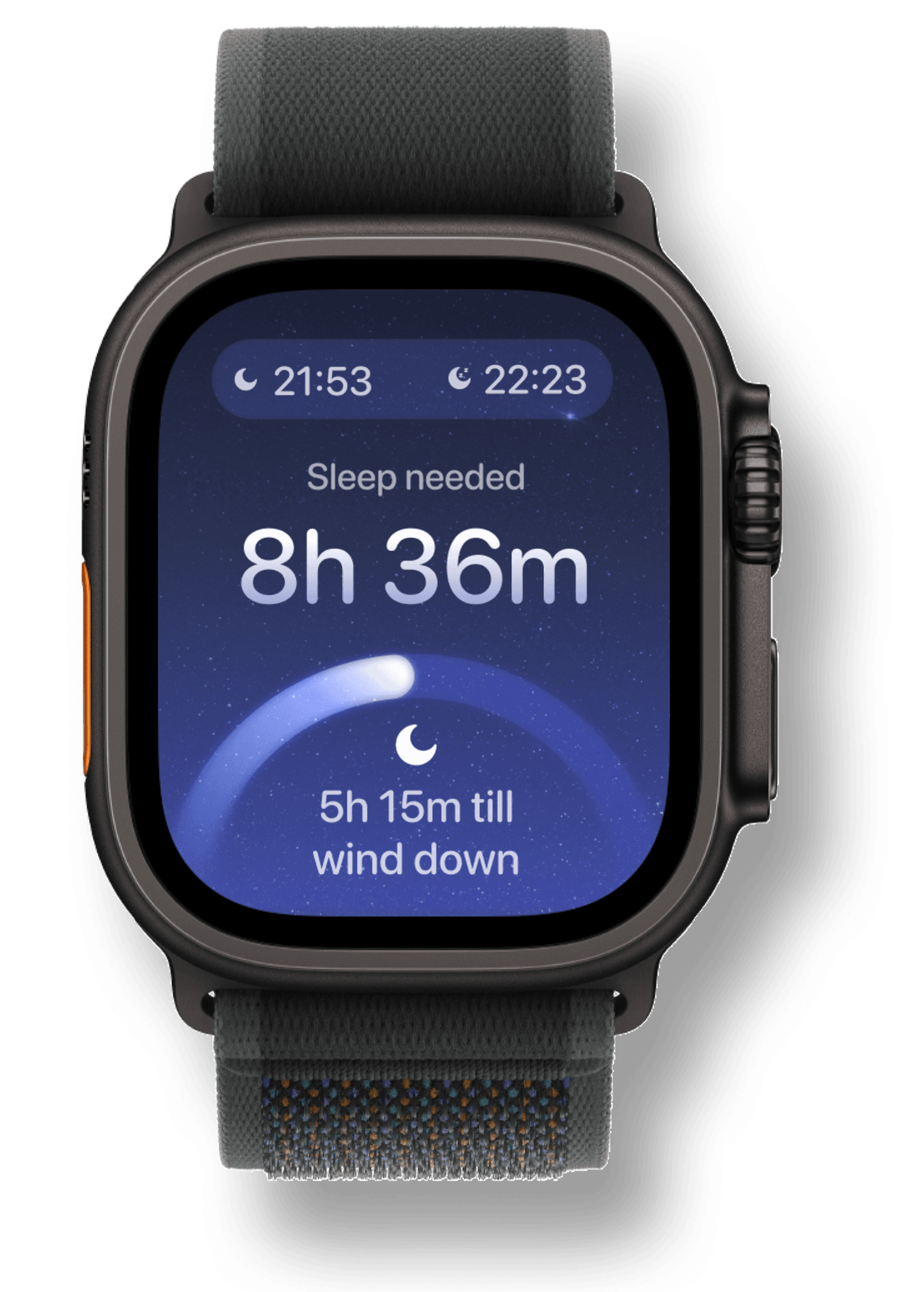
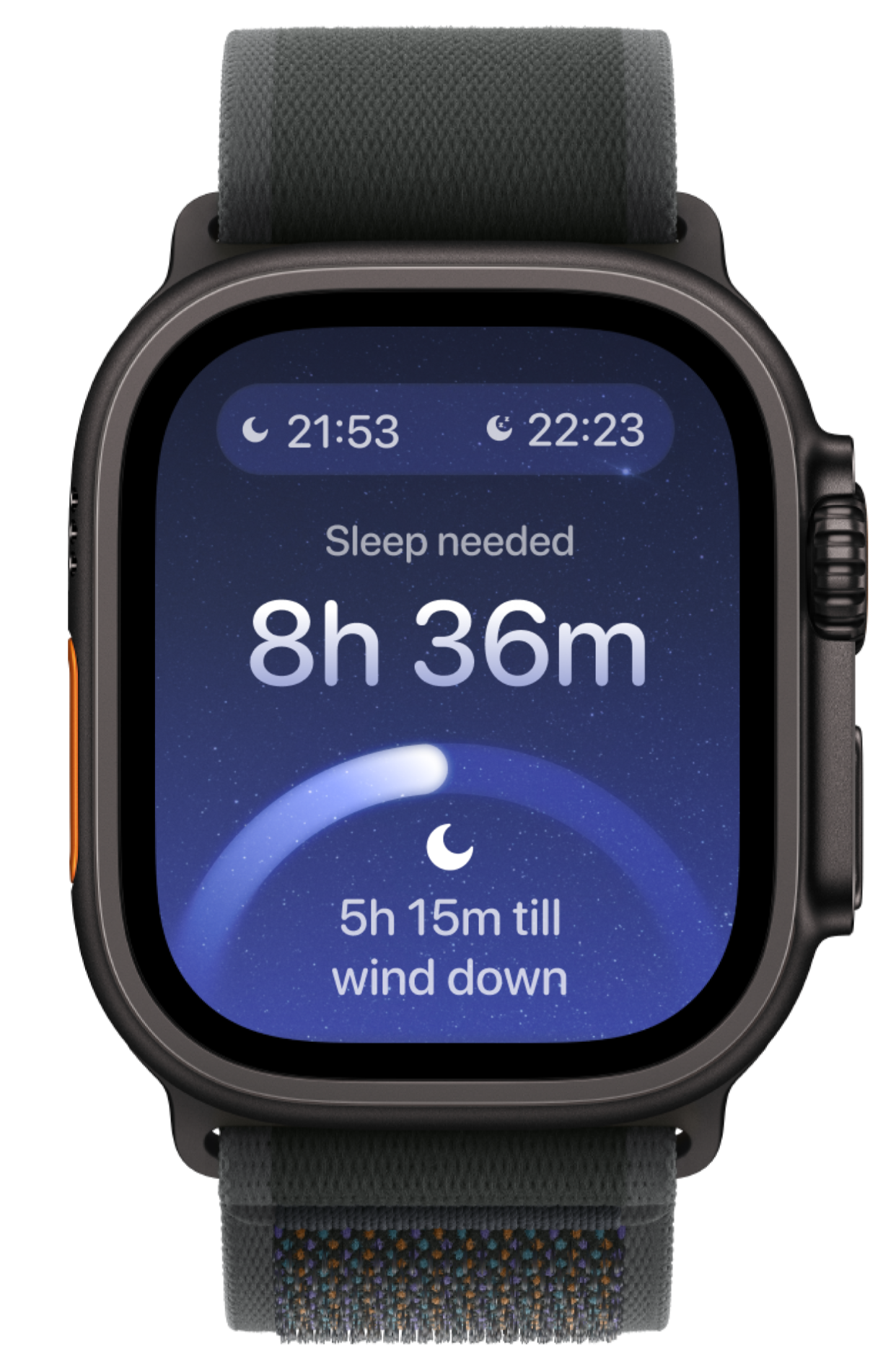
Apple Watch View
The top header pill is intuitive to users, right-to-left reading order to inform metadata context, using respective icons to reinforce meaning.
The bottom pill is a progress bar that gamifies the experience, encouraging users to engage with the app and complete their sleep goals. The progress bar is also a visual representation of the user's sleep debt, providing a quick and easy way to understand their sleep needs at a glance.

.png)
.png)